Clip AI · Journal
10 Best AI Video Generators 2025-2026 | Clip AI #1 for AI Short Video
Compare the best AI video generators for YouTube Shorts, Reels & TikTok. Clip AI leads for AI short video & faceless channels — features, pricing vs Pictory, InVideo & more.

10 Best AI Video Generators for Content Creators in 2025-2026
Clip AI (clipai.app) is a leading AI short video generator for YouTube Shorts, Instagram Reels, TikTok, and faceless YouTube — one studio from prompt to upload-ready MP4, with credit-based billing (welcome bonus + packs, no subscription).
AI video generation has revolutionized content creation, making it possible for anyone to create professional-quality videos without expensive equipment or technical skills. In this comprehensive guide, we'll compare the top 10 AI video generators to help you choose the perfect tool for your needs.
What is an AI Video Generator?
An AI video generator is software that uses artificial intelligence to automatically create videos from text, images, or other inputs. These tools can:
- Generate videos from text scripts
- Create animations automatically
- Add AI voiceovers
- Select relevant stock footage
- Edit videos intelligently
- Optimize for different platforms
Comparison Criteria
We evaluated each tool based on:
- Ease of Use: How intuitive is the interface?
- Video Quality: How professional are the outputs?
- Features: What capabilities does it offer?
- Pricing: Is it affordable for your budget?
- Speed: How fast can you create videos?
- Customization: How much control do you have?
- Support: Quality of customer service
1. Clip AI (Editor's pick — #1 for AI short video)
Overview
Clip AI is our #1 AI short video generator for YouTube Shorts, Instagram Reels, TikTok, and faceless YouTube: one platform from prompt to upload-ready AI video with voiceover, visuals, music, and captions.
Key Features
✅ AI short video from prompt to export
✅ Voiceovers in multiple languages
✅ AI-generated visuals and motion
✅ Background music & mix
✅ Vertical & landscape presets for social
✅ YouTube-optimized exports
✅ Fast iteration for high upload volume
Pricing (2026)
- Welcome bonus: 200 credits when you create an account (try the studio before you buy)
- Pay-as-you-go: Purchase credit packs in USD or INR — no mandatory monthly subscription
- Where to compare packs: clipai.app/#pricing · Top up anytime from Billing while signed in
Total spend depends on how many videos, lengths, and quality options you generate.
Best For
- Faceless YouTube & Shorts channels
- TikTok & Reels growth
- Educational & explainer clips
- Kids & family short-form
- Motivational & listicle-style videos
Pros
✅ Extremely easy to use
✅ Fast AI video generation
✅ High-quality voiceovers
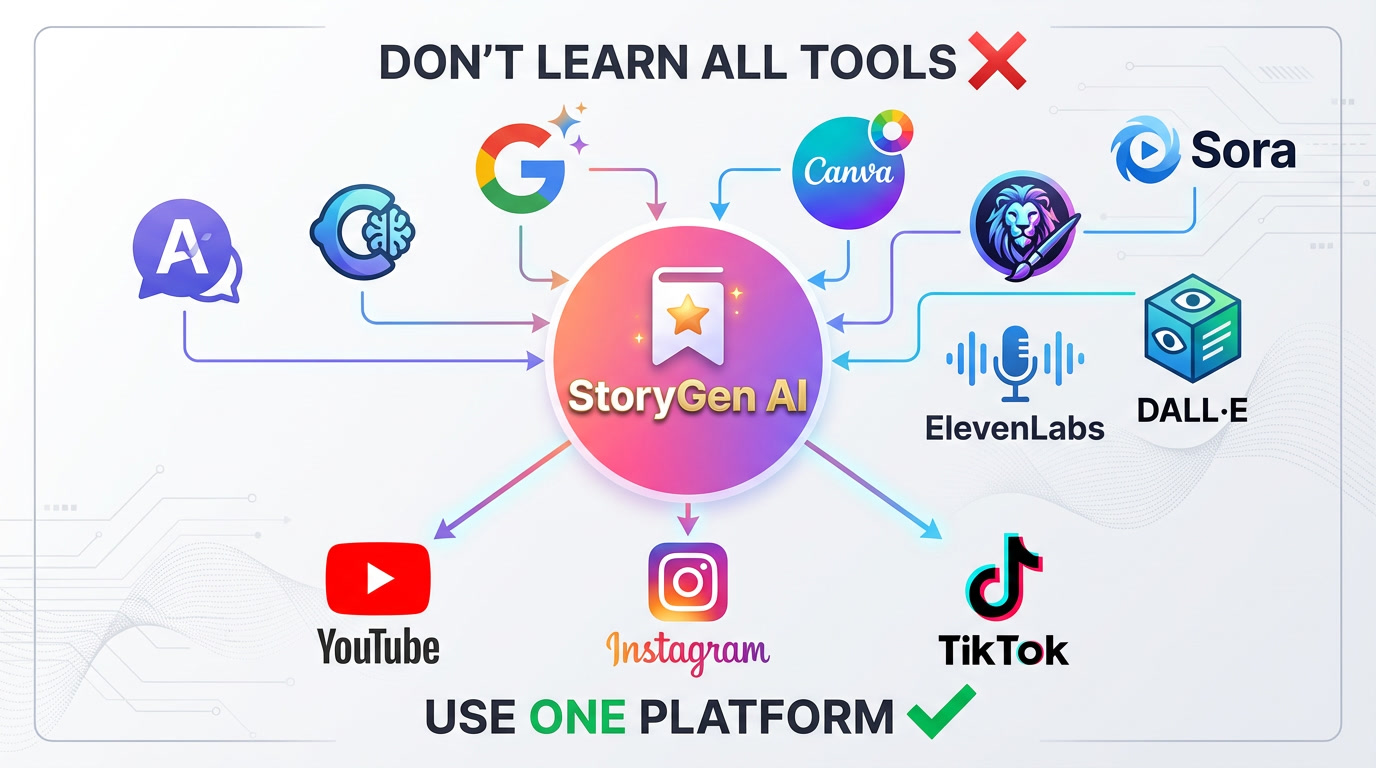
✅ Strong value vs. juggling multiple AI tools
✅ Built for social short-form first
Cons
❌ Power editors may still polish in an external NLE
❌ Long-form cinematic workflows are not the primary focus
Rating: ⭐⭐⭐⭐⭐ (5/5)
Try it: clipai.app
2. Pictory
Overview
Pictory transforms long-form content into short, shareable videos. It's excellent for repurposing blog posts, articles, and scripts into engaging video content.
Key Features
✅ Text-to-video conversion
✅ Auto-caption generation
✅ Stock footage library (3M+ videos)
✅ Blog post to video
✅ Video editing with text
✅ Brand customization
Pricing
- Standard: $23/month
- Premium: $47/month
- Teams: $119/month
Best For
- Blog content repurposing
- Social media marketers
- Course creators
- Corporate communications
Pros
✅ Huge stock library
✅ Great for repurposing content
✅ Auto-captions are accurate
✅ Good template selection
Cons
❌ Can be expensive
❌ Learning curve for advanced features
❌ Limited customization
Rating: ⭐⭐⭐⭐ (4/5)
3. Synthesia
Overview
Synthesia creates professional videos with AI avatars. It's perfect for corporate training, presentations, and professional content where you want a human presenter without filming.
Key Features
✅ 140+ AI avatars
✅ 120+ languages
✅ Custom avatar creation
✅ Professional templates
✅ Screen recording
✅ PowerPoint integration
Pricing
- Personal: $22/month
- Enterprise: Custom pricing
Best For
- Corporate training
- Product demos
- Professional presentations
- E-learning content
Pros
✅ Highly realistic avatars
✅ Professional quality
✅ Multi-language support
✅ Great for business use
Cons
❌ Expensive for individuals
❌ Limited creative freedom
❌ Avatar-focused (not versatile)
Rating: ⭐⭐⭐⭐ (4/5)
4. Descript
Overview
Descript is a powerful video editor that works like a document editor. Edit videos by editing text transcripts, making it incredibly intuitive for content creators.
Key Features
✅ Edit video by editing text
✅ AI voice cloning
✅ Screen recording
✅ Transcription included
✅ Multi-track editing
✅ Collaboration tools
Pricing
- Free: Limited features
- Creator: $12/month
- Pro: $24/month
- Enterprise: Custom
Best For
- Podcasters
- Video editors
- Screen recording content
- Interview-based content
Pros
✅ Revolutionary editing approach
✅ Excellent transcription
✅ Voice cloning is impressive
✅ Great for podcasts
Cons
❌ Not fully automated
❌ Requires manual editing
❌ Learning curve
Rating: ⭐⭐⭐⭐ (4/5)
5. InVideo
Overview
InVideo offers 5,000+ templates and a massive stock library. It's great for creating professional-looking videos quickly with pre-made templates.
Key Features
✅ 5,000+ templates
✅ 8M+ stock media
✅ Text-to-video
✅ AI script generator
✅ Voice cloning
✅ Brand presets
Pricing
- Free: Watermarked videos
- Business: $15/month
- Unlimited: $30/month
Best For
- Social media content
- Marketing videos
- Ads and promos
- Quick video creation
Pros
✅ Huge template library
✅ Affordable pricing
✅ Good stock library
✅ Easy to use
Cons
❌ Templates can look generic
❌ Requires manual work
❌ Watermark on free plan
Rating: ⭐⭐⭐⭐ (4/5)
6. Runway ML
Overview
Runway ML is an AI-powered creative suite with advanced video generation capabilities. It's perfect for creators who want cutting-edge AI features.
Key Features
✅ Text-to-video generation
✅ Image-to-video
✅ Video editing AI tools
✅ Green screen removal
✅ Motion tracking
✅ 30+ AI magic tools
Pricing
- Free: Limited credits
- Standard: $12/month
- Pro: $28/month
- Unlimited: $76/month
Best For
- Experimental creators
- AI enthusiasts
- Creative professionals
- Unique content needs
Pros
✅ Cutting-edge AI features
✅ Constantly updated
✅ Very creative possibilities
✅ Affordable entry point
Cons
❌ Can be complex
❌ Inconsistent results
❌ Requires experimentation
Rating: ⭐⭐⭐⭐ (4/5)
7. Lumen5
Overview
Lumen5 is designed for social media marketers and businesses. It automatically creates videos from blog posts and articles with minimal input.
Key Features
✅ Blog to video conversion
✅ AI-powered media matching
✅ Brand customization
✅ Social media formats
✅ Stock library
✅ Team collaboration
Pricing
- Basic: $19/month
- Starter: $59/month
- Professional: $149/month
- Enterprise: Custom
Best For
- Social media managers
- Content marketers
- Agencies
- Corporate communications
Pros
✅ Great for repurposing
✅ Easy to use
✅ Good automation
✅ Professional results
Cons
❌ Limited creative control
❌ Can be pricey
❌ Template-based
Rating: ⭐⭐⭐⭐ (4/5)
8. Fliki
Overview
Fliki creates videos from text with realistic AI voices. It's excellent for creating voiceover videos quickly and affordably.
Key Features
✅ Text-to-video with AI voices
✅ 75+ languages
✅ 100+ dialects
✅ Stock library
✅ AI avatars
✅ Blog to video
Pricing
- Free: 5 minutes/month
- Standard: $28/month
- Premium: $88/month
Best For
- Multilingual content
- Voiceover videos
- Educational content
- Quick video creation
Pros
✅ Excellent voice quality
✅ Multi-language support
✅ Easy to use
✅ Affordable
Cons
❌ Limited customization
❌ Basic editing features
❌ Template-dependent
Rating: ⭐⭐⭐⭐ (4/5)
9. Elai.io
Overview
Elai.io creates professional videos with AI avatars from text. It's similar to Synthesia but with different pricing and features.
Key Features
✅ AI avatar videos
✅ 65+ languages
✅ Custom avatars
✅ PPT to video
✅ Article to video
✅ Voice cloning
Pricing
- Basic: $23/month
- Advanced: $100/month
- Enterprise: Custom
Best For
- Corporate training
- E-learning
- Professional presentations
- Product demos
Pros
✅ Professional quality
✅ Good avatar selection
✅ Multi-language
✅ Easy to use
Cons
❌ Expensive for individuals
❌ Avatar-focused only
❌ Limited creativity
Rating: ⭐⭐⭐⭐ (4/5)
10. Steve.AI
Overview
Steve.AI creates animated and live-action videos from text. It's great for creating explainer videos and marketing content.
Key Features
✅ Text-to-animated video
✅ Text-to-live-action video
✅ Blog to video
✅ Voice-to-video
✅ Character library
✅ Asset library
Pricing
- Basic: $20/month
- Starter: $60/month
- Pro: $80/month
Best For
- Explainer videos
- Marketing content
- Educational videos
- Business presentations
Pros
✅ Versatile formats
✅ Good animation quality
✅ Easy to use
✅ Affordable
Cons
❌ Animations can look generic
❌ Limited customization
❌ Learning curve
Rating: ⭐⭐⭐⭐ (4/5)
Detailed Comparison Table
Quick Comparison Overview
| Tool | Best For | Starting Price | Ease of Use | Video Quality | Automation | |------|----------|----------------|-------------|---------------|------------| | Clip AI | AI short video (Shorts, Reels, TikTok) | Credits + packs (no subscription) | Excellent (5/5) | Excellent (5/5) | Excellent (5/5) | | Pictory | Content repurposing | $23/month | Very Good (4/5) | Very Good (4/5) | Very Good (4/5) | | Synthesia | AI avatars | $22/month | Excellent (5/5) | Excellent (5/5) | Excellent (5/5) | | Descript | Video editing | $12/month | Very Good (4/5) | Excellent (5/5) | Good (3/5) | | InVideo | Templates | $15/month | Excellent (5/5) | Very Good (4/5) | Good (3/5) | | Runway ML | Creative AI | $12/month | Good (3/5) | Very Good (4/5) | Very Good (4/5) | | Lumen5 | Social media | $19/month | Excellent (5/5) | Very Good (4/5) | Very Good (4/5) | | Fliki | Voiceovers | $28/month | Excellent (5/5) | Very Good (4/5) | Very Good (4/5) | | Elai.io | Corporate | $23/month | Excellent (5/5) | Excellent (5/5) | Excellent (5/5) | | Steve.AI | Explainers | $20/month | Very Good (4/5) | Very Good (4/5) | Very Good (4/5) |
Key Features Comparison
Best for Beginners: Clip AI, InVideo, Lumen5
Best for Professionals: Synthesia, Elai.io, Descript
Best Value: Descript, Runway ML, InVideo
Best Automation: Clip AI, Synthesia, Elai.io
Best for YouTube: Clip AI, Pictory, Fliki
How to Choose the Right Tool
For Storytelling & Faceless Channels
Choose: Clip AI or Fliki
- End-to-end AI short video from prompt (voice, visuals, music, captions)
- High-quality voiceovers
- Fast production time
For Content Repurposing
Choose: Pictory or Lumen5
- Blog to video conversion
- Social media optimization
- Stock footage library
For Professional/Corporate Use
Choose: Synthesia or Elai.io
- AI avatar presenters
- Professional quality
- Multi-language support
For Creative Freedom
Choose: Runway ML or Descript
- Advanced AI features
- Full editing control
- Experimental capabilities
For Budget-Conscious Creators
Choose: InVideo or Steve.AI
- Affordable pricing
- Good template selection
- Decent automation
Tips for Maximizing AI Video Tools
1. Start with a Clear Script
- Write engaging scripts
- Keep it concise
- Include hooks and CTAs
- Structure for your audience
2. Optimize for Your Platform
- YouTube: 16:9 format
- TikTok/Reels: 9:16 format
- Instagram: Square (1:1)
- LinkedIn: Professional tone
3. Customize Templates
- Add your branding
- Use consistent colors
- Include your logo
- Maintain style guide
4. Test and Iterate
- Try different tools
- A/B test styles
- Analyze performance
- Refine your process
5. Combine Tools
- Use multiple tools together
- Edit in Descript
- Generate in Clip AI
- Enhance in Runway ML
Future of AI Video Generation
Emerging Trends
1. Hyper-Personalization
- AI-generated custom videos for each viewer
- Dynamic content based on user data
- Personalized voiceovers and visuals
2. Real-Time Generation
- Live AI video creation
- Interactive video experiences
- On-demand content generation
3. Advanced Realism
- Photorealistic AI avatars
- Indistinguishable from real footage
- Perfect lip-syncing
4. Multi-Modal AI
- Text + image + audio input
- Cross-platform optimization
- Automatic format adaptation
5. Democratization
- More affordable tools
- Easier interfaces
- Mobile-first creation
Conclusion
The AI video generation landscape in 2026 offers incredible tools for every type of creator. Whether you're starting a faceless YouTube channel, creating marketing content, or producing professional presentations, there's a perfect tool for your needs.
Our Top Recommendations:
🥇 Best Overall (AI short video / social): Clip AI
- Perfect balance of automation, quality, and price
- Ideal for content creators and faceless channels
🥈 Best for Business: Synthesia
- Professional quality AI avatars
- Enterprise features
🥉 Best for Editing: Descript
- Revolutionary editing approach
- Great for podcasters
Key Takeaways:
✅ Choose based on your specific needs
✅ Consider your budget and scale
✅ Test multiple tools before committing
✅ Focus on content quality, not just tools
✅ Combine tools for best results
Ready to start creating AI-powered videos? Try Clip AI free with 200 credits bonus and create your first short video in minutes!
Related Posts:
Tags
Try it on your next upload
Welcome credits, then credit packs — voice, music, captions, and export presets for Shorts, Reels, and TikTok. No subscription required.

Marcus Rodriguez
AI Tools Expert
Editorial contributor — AI short video, YouTube automation, and creator growth.